v0.1 · In-app manual · Web edition
Installation Manual
Greenhouse Heat Pump Design Studio | v0.1 MVP Draft
Draft English user documentation for review. This software is a design-support tool and does not replace final engineering, permitting, electrical, construction, or agronomic review.
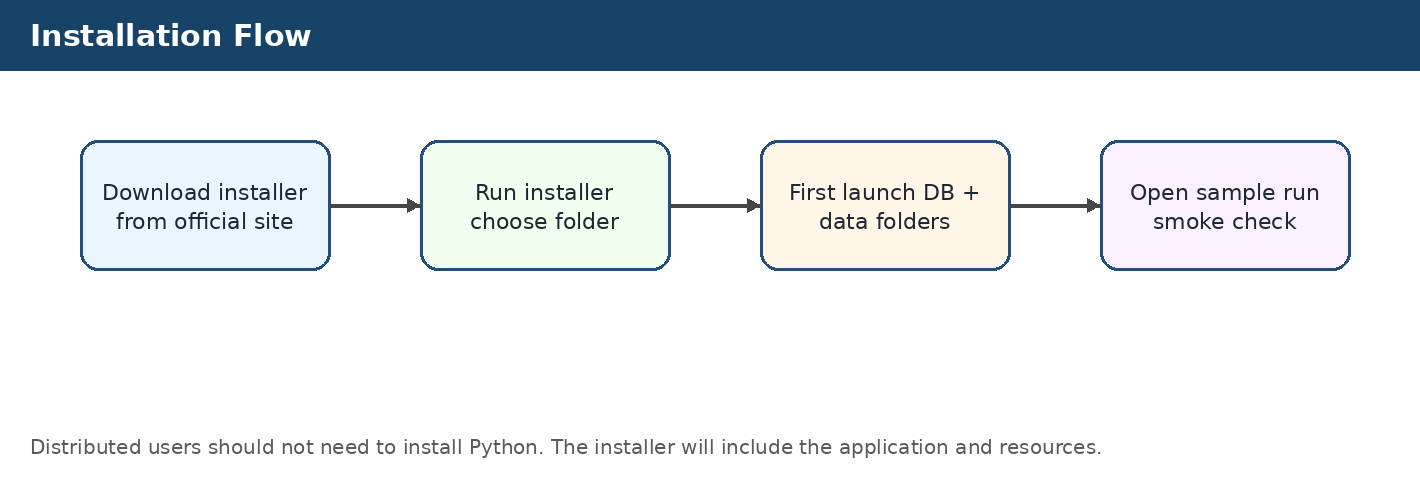
Figure 1. Basic installation flow for Windows users.
1. System Requirements
| Item | Recommended |
|---|---|
| Operating system | Windows 10/11, Windows 11 preferred |
| User skill level | Ordinary Windows user; no Python knowledge required for release builds |
| Disk space | At least 1 GB free for application, documents, database, and outputs |
| Documents | A DOCX viewer such as Word, Hancom Office, LibreOffice, or a PDF/HTML viewer when available |
2. Installing the Program
- Download the installer from the GHHP Studio download page.
- Run the installer and follow the setup wizard.
- Choose the default installation folder unless your organization uses a different location.
- Launch Greenhouse Heat Pump Design Studio from the Start Menu or desktop shortcut.
- Open the sample project and generate a sample report to verify the installation.
3. First Launch Checklist
- Confirm that the main window opens without errors.
- Open Help & Training > User Manual.
- Open Help & Training > About and check the version.
- Open the sample project and check that project/scenario/revision information is visible.
- Generate an Estimate Assist report to verify output folders.
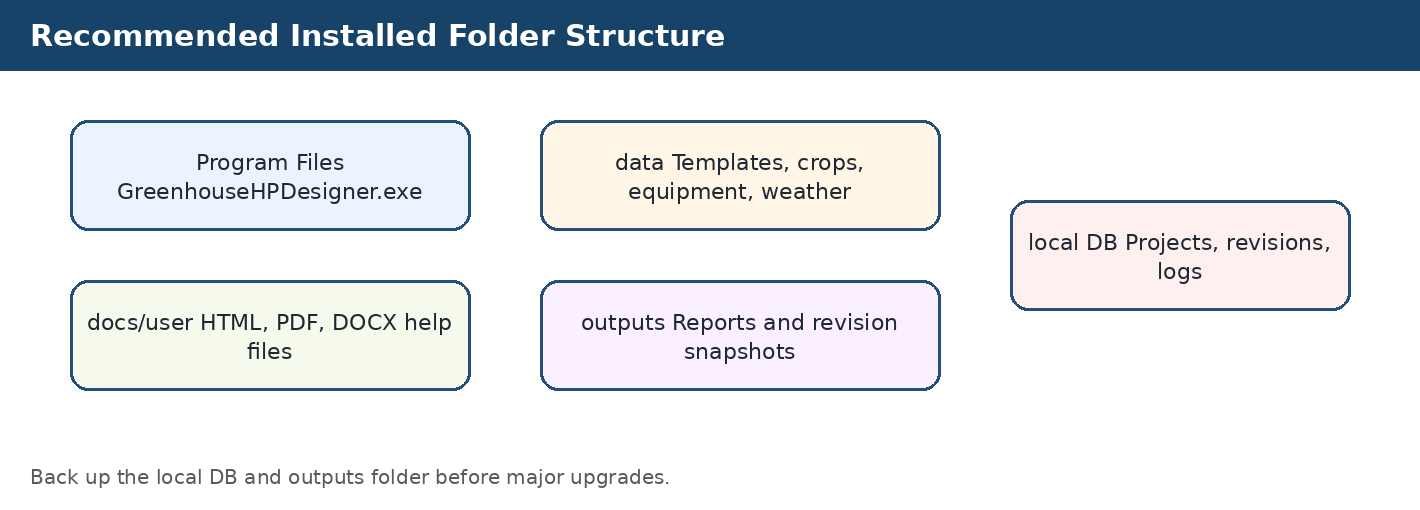
Figure 2. Recommended installed folder structure.
4. Document Resources
- Documentation is stored under docs/user in the installed package.
- In future releases, the application should prefer local HTML/PDF help for users without Microsoft Word.
- DOCX files are editable source documents and may require Word, Hancom Office, or LibreOffice.
5. Updating the Program
- Back up the local database and outputs folder.
- Close the application.
- Run the new installer or replace the application folder according to the release instructions.
- Launch the application and run diagnostics.
- Open an old project and confirm that revisions and reports are still available.
6. Uninstalling
- Use Windows Settings > Apps to remove the program if installed by setup wizard.
- Before uninstalling, back up outputs and the local project database.
- Uninstalling the program should not be treated as a project backup.
7. Trial Version Notice
- This trial build allows local use for 180 days from installation or first launch.
- The local trial period is intended for evaluation before a paid policy is finalized.
- Do not rely on the trial build for permanent project storage without backups.
8. Troubleshooting
- Windows warning appears: verify the download source and publisher before continuing.
- Manual does not open: install a DOCX-compatible application or use PDF/HTML help if provided.
- Reports do not generate: try a user-writable output folder and check logs.
- Old project does not open: back up the database and contact support with logs.
Important Notice
- This document and the software are draft design-support materials.
- The software does not produce a final certified design, official permit document, legal submission, or final equipment selection.
- Before applying results to a real project, review is required by heat pump, electrical, duct, crop, and construction professionals.
- Energy savings, crop outcomes, and subsidy eligibility are not guaranteed values.