v0.1 · In-app manual · Web edition
Quick Start and Training Guide
Greenhouse Heat Pump Design Studio | v0.1 MVP Draft
Draft English user documentation for review. This software is a design-support tool and does not replace final engineering, permitting, electrical, construction, or agronomic review.
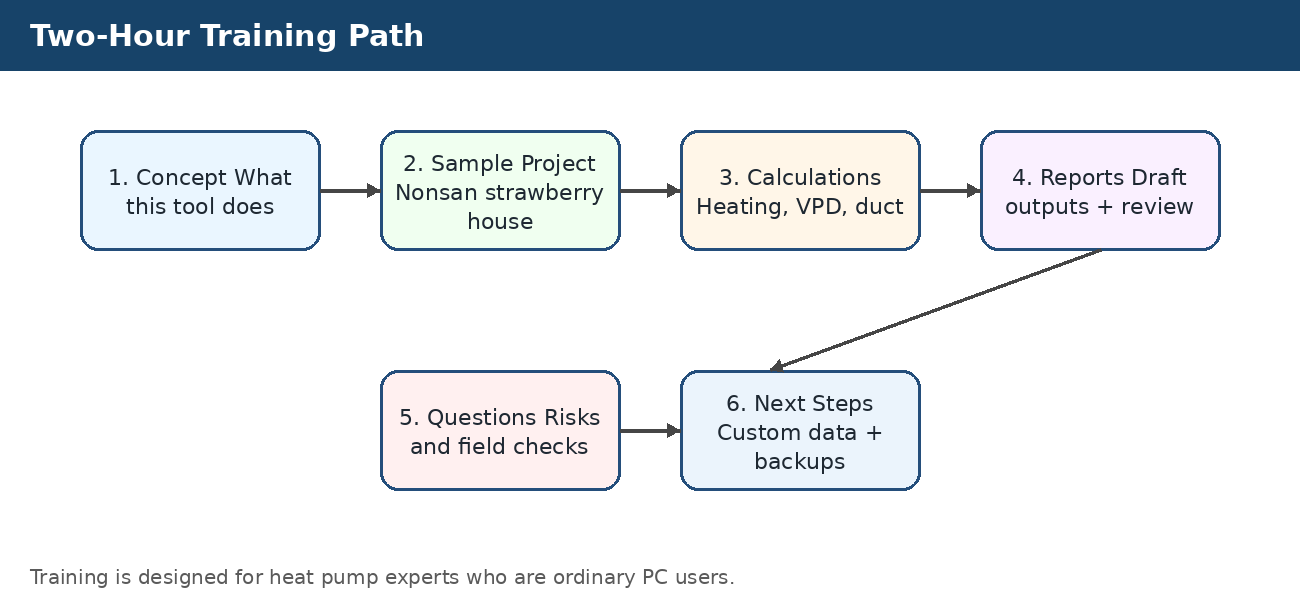
Figure 1. Suggested two-hour training path.
1. Training Goal
- Help heat pump experts use the software without needing advanced PC skills.
- Teach the meaning of project, scenario, revision, and report outputs.
- Practice one greenhouse case from input to draft reports.
- Emphasize expert review and field verification.
2. Sample Training Case
| Item | Example |
|---|---|
| Project | Nonsan Strawberry House A |
| Geometry | 6 m wide, 100 m long, 2 m high |
| Crop | Strawberry, flowering or fruit enlargement stage |
| System concept | Air-air heat pump with bidirectional vinyl duct |
| Report target | Estimate Assist, Basic Design, Pre-Construction Review |
3. Quick Start: 10 Steps
- Open the application and confirm the language setting.
- Open the sample project or create a new project.
- Check geometry values and run geometry calculation.
- Select crop and growth stage.
- Import or select weather/solar data.
- Run simplified heating load and save a revision.
- Run VPD/humidity risk and condensation/dehumidification review.
- Review topology and duct calculation if available.
- Open Estimate Assist and save an estimate revision.
- Generate report drafts and discuss the checklist.
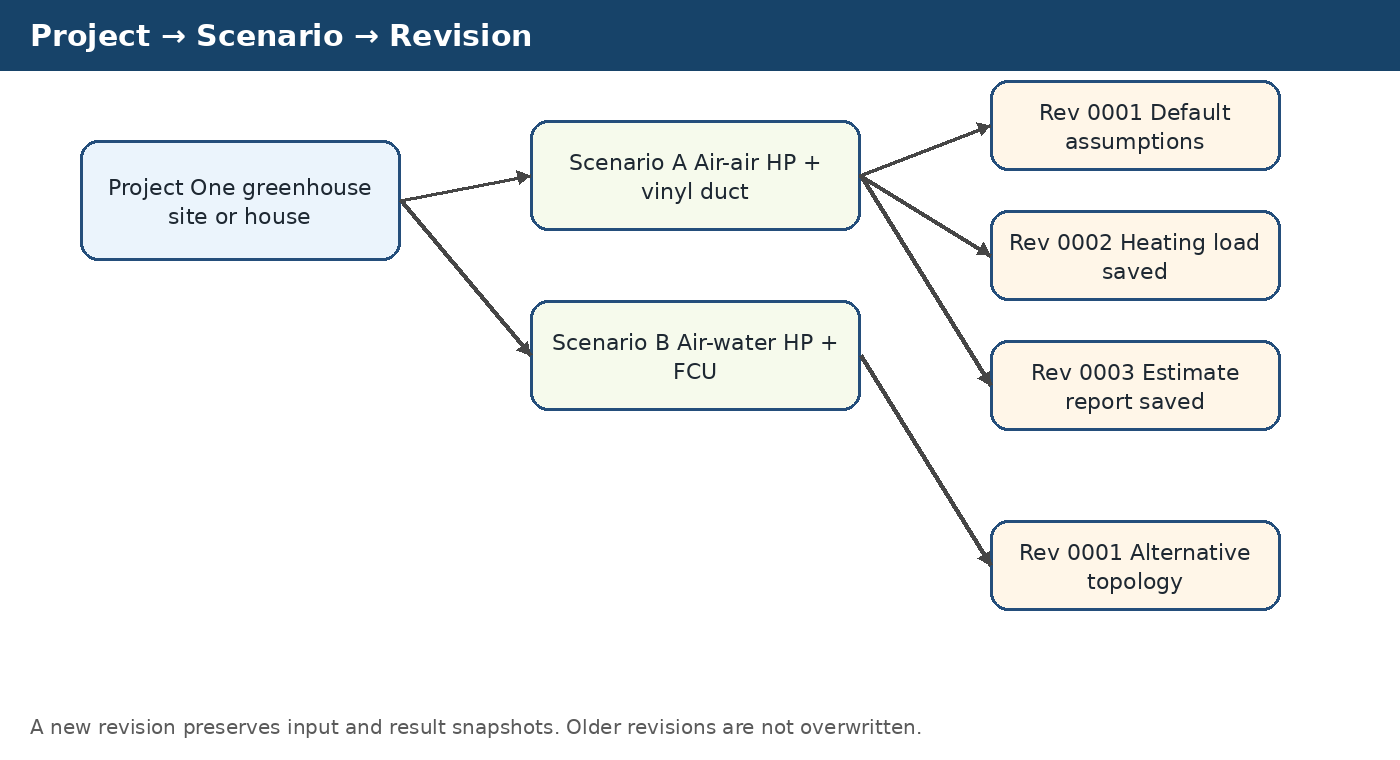
Figure 2. Use revisions to preserve calculation history during training.
4. Hands-On Exercise
| Exercise | Action | Success Check |
|---|---|---|
| Geometry | Confirm 6 m x 100 m x 2 m | Floor area is 600 m² |
| Heating load | Run simplified heating load | Peak heating load is reported |
| VPD risk | Select crop stage and calculate | VPD summary and risk hours appear |
| Condensation review | Run preliminary dehumidification estimate | Condensation and kg/day estimate appear |
| Reports | Generate Estimate Assist report | MD/HTML/PDF/XLSX outputs are created |
5. Instructor Notes
- Remind trainees that crop target values are templates and require expert review.
- Explain that high uncertainty or missing data should not be hidden; it should become a risk note.
- Show where the output folder is located and how to back it up.
- Use the glossary when explaining VPD, ACH, revision snapshots, and duct levels.
6. Bilingual Menu Cheat Sheet
| Korean Menu | English Menu | Training Tip |
|---|---|---|
| 프로젝트 | Project | Start here for new/open/save |
| 현장/구조 입력 | Site & Geometry | Geometry and cover area |
| 작목/생육조건 | Crop & Growth Conditions | Crop, RH, VPD, humidity risk |
| 기상/일사 조건 | Weather & Solar | Weather CSV and solar data |
| 설비 구성 | System Topology | Heat pump, fan, FCU, duct blocks |
| 덕트/팬/공기분배 | Duct, Fan & Air Distribution | Duct Level 1 and Level 2 |
| 결과/보고서 | Results & Reports | Generate reports |
| 도움말/교육 | Help & Training | Manuals, training guide, glossary |
7. End-of-Training Checklist
- Trainee can open the user manual from the Help menu.
- Trainee can explain Project → Scenario → Revision.
- Trainee can run at least one calculation and save a revision.
- Trainee can generate at least one report draft.
- Trainee understands that reports are support drafts, not final certified designs.
Important Notice
- This document and the software are draft design-support materials.
- The software does not produce a final certified design, official permit document, legal submission, or final equipment selection.
- Before applying results to a real project, review is required by heat pump, electrical, duct, crop, and construction professionals.
- Energy savings, crop outcomes, and subsidy eligibility are not guaranteed values.