v0.1 · In-app manual · Web edition
User Manual
Greenhouse Heat Pump Design Studio | v0.1 MVP Draft
Draft English user documentation for review. This software is a design-support tool and does not replace final engineering, permitting, electrical, construction, or agronomic review.
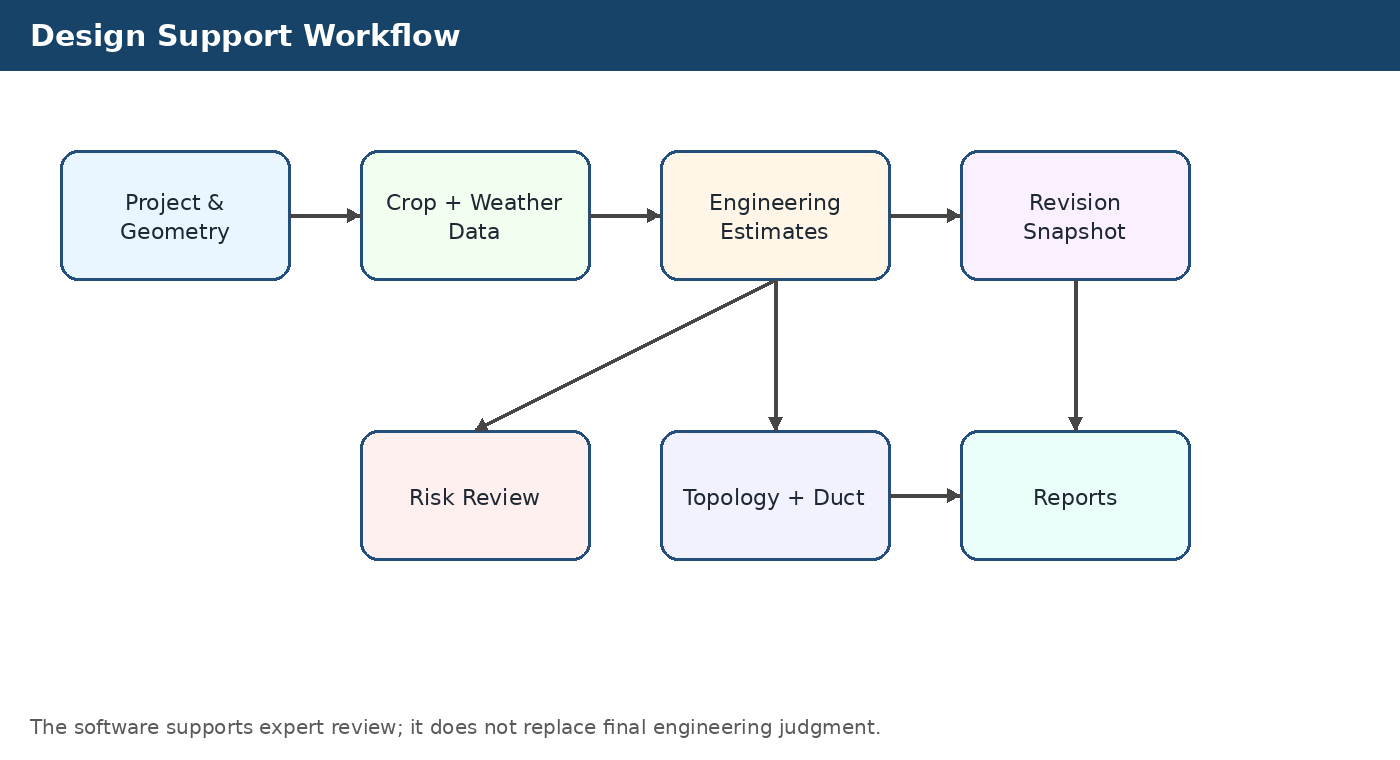
Figure 1. Overall design-support workflow.
1. Who This Manual Is For
- Heat pump engineers and greenhouse design professionals who use Windows PCs as ordinary users.
- Design reviewers who need repeatable calculations, scenario comparison, and report drafts.
- Training instructors who explain greenhouse heat pump design support to Korean or English-speaking users.
2. What the Software Does
- Stores projects, scenarios, and immutable revisions.
- Imports weather and solar CSV data.
- Calculates geometry, simplified heating load, heat balance corrections, VPD/humidity risk, condensation/dehumidification risk, and duct Level 1/2 estimates.
- Builds estimate assist, basic design, pre-construction review, and subsidy submission draft reports.
- Keeps input and result snapshots so calculations can be reproduced later.
3. What the Software Does Not Do
- It does not automatically produce a final certified design.
- It does not replace manufacturer performance tables, electrical design, duct engineering, agronomic judgment, or legal submission review.
- It does not guarantee energy savings or crop yield improvements.
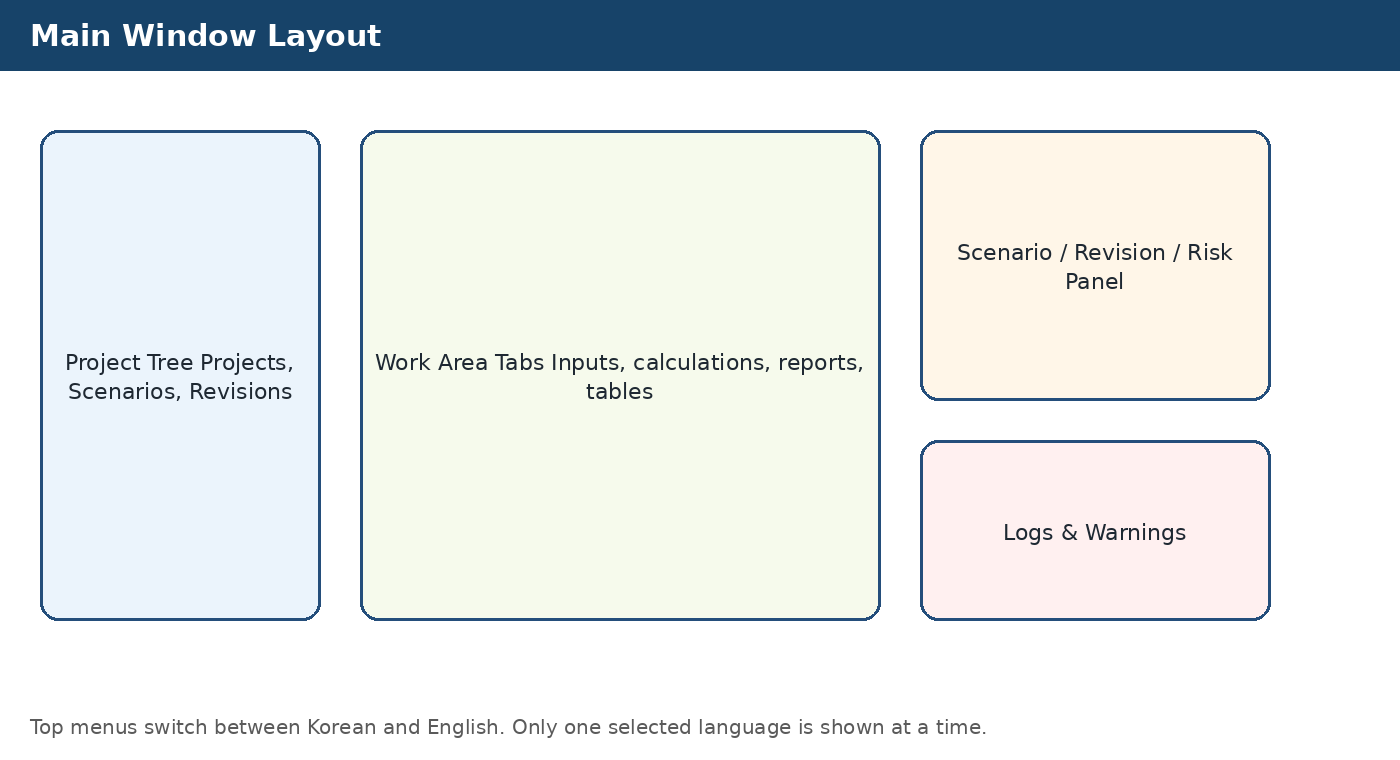
Figure 2. Main screen layout.
4. Main Screen Areas
| Area | Purpose | Typical Use |
|---|---|---|
| Project tree | Shows projects, scenarios, and revisions | Open a project, select a scenario, check saved revisions |
| Work area tabs | Shows input screens, calculations, databases, reports | Run calculations and generate reports |
| Scenario/revision/risk panel | Summarizes scenario and risk status | Review warnings before saving reports |
| Log/warning panel | Shows actions, errors, and messages | Check what opened, saved, or failed |
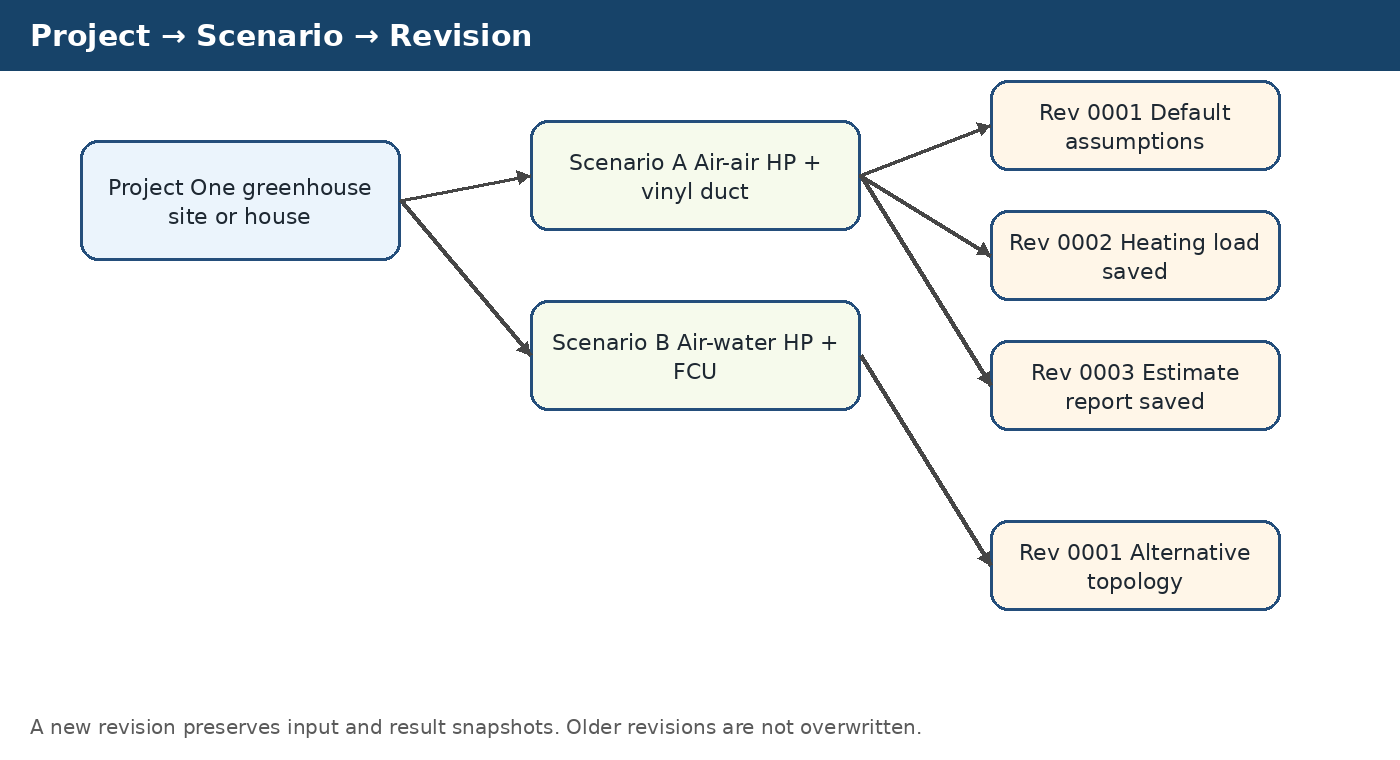
Figure 3. Project, scenario, and revision model.
5. Recommended Workflow
- Create or open a project.
- Enter greenhouse geometry such as width, length, height, shape, and cover area assumptions.
- Select crop and growth stage templates. Treat crop values as review templates, not final agronomic truth.
- Import weather/solar CSV data or select a prepared weather profile.
- Run simplified heating load and heat balance correction calculations.
- Run VPD/humidity and condensation/dehumidification risk review.
- Create or validate system topology blocks such as heat pump, FCU, fan, duct, ventilation, and controls.
- Run duct Level 1 and Level 2 review if air distribution is important.
- Save results as revisions so snapshots are preserved.
- Generate the needed draft report.
6. Menu Map
| Top Menu | Main Purpose |
|---|---|
| Project | Create, open, save, export, import, and back up projects |
| Site & Geometry | Input greenhouse dimensions and calculate area/volume/cover area |
| Crop & Growth Conditions | Select crop, growth stage, RH, VPD, and humidity risk analysis |
| Weather & Solar | Import CSV weather/solar profiles and review solar conditions |
| System Topology | Define heat pump, FCU, fan, duct, ventilation, and control blocks |
| Duct, Fan & Air Distribution | Run simple duct guide and segmented duct calculation |
| Results & Reports | Build estimate, design, pre-construction, and subsidy reports |
| Database Management | Manage crop, cover, equipment, duct, fan, and template data |
| Tools & Validation | Diagnostics, sample projects, logs, validation utilities |
| Help & Training | Open manuals, glossary, training guide, and About dialog |
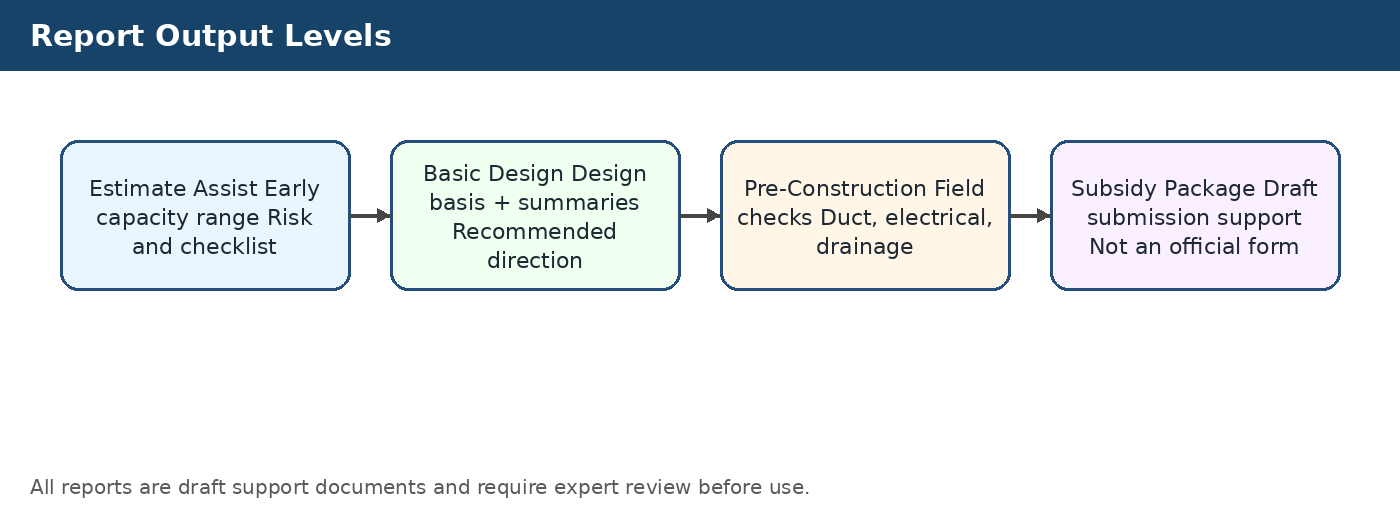
Figure 4. Report levels and intended use.
7. Understanding Reports
| Report | Use | Important Warning |
|---|---|---|
| Estimate Assist Summary | Early-stage capacity range, risk grade, checklist | Not final equipment sizing |
| Basic Design Report | Design basis, inputs, assumptions, risk review | Not a certified design |
| Pre-Construction Review Report | Field checks for duct, fan, sensor, electrical, drainage | Not construction drawings |
| Subsidy Submission Package | Draft support material for subsidy preparation | Not an official application form |
8. Backup and Data Safety
- Back up the local database, outputs folder, and custom DB templates before major updates.
- Revision snapshots should not be overwritten; save a new revision when assumptions change.
- Keep manufacturer data, project notes, and field measurements in a controlled folder structure.
9. Troubleshooting
- A document does not open: install a DOCX-compatible application or check the docs/user folder.
- A report says information is missing: run and save the related calculation revision first.
- Warnings look conservative: review assumptions, crop templates, and missing inputs.
- PDF generation fails: use HTML/Excel first, then report the PDF or font error to support.
Important Notice
- This document and the software are draft design-support materials.
- The software does not produce a final certified design, official permit document, legal submission, or final equipment selection.
- Before applying results to a real project, review is required by heat pump, electrical, duct, crop, and construction professionals.
- Energy savings, crop outcomes, and subsidy eligibility are not guaranteed values.